
This section of this web site is dedicated to software to run on S-100 systems. Clearly this could be a whole web site in itself. I will concentrate here on software that is focused on getting the hardware up and running and that I have either written myself or have used extensively.
This is ROM based Zapple like monitor program for a Z80. It is a menu driven ROM based program to allow you to bring up a basic functional system. It is toughly documented to allow its adaption to most hardware configurations.

Please click Z80 Monitor Program for more information.
This is a diagnostic program for a Versafloppy II disk controller board. Again it is menu driven to allow you to bring up a basic functional system.
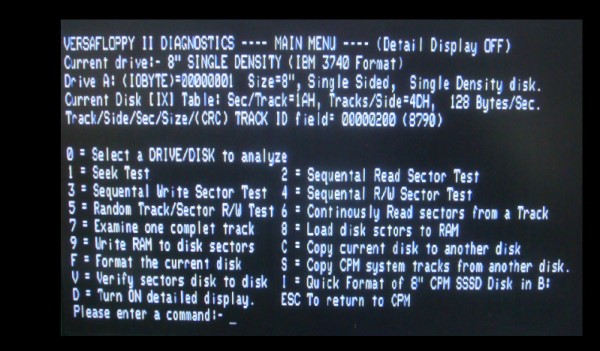
Please click Versafloppy II Diagnostic Program for more information.
This is a very powerful 8 Port Serial (RS232) I/O board. See here for a detailed description. I have written a little program to configure the Serial Ports and Time/Clock chip on this board. It can be seen here, and downloaded here. As usual it can be easily modified for the same chip on other boards.
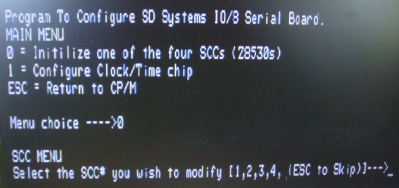
Besides containing four Zilog 8530 dual serial I/O chips, this board also has a National Semiconductor MM58167 Clock/Calendar chip. The above program also allows the on board clock chip to be set and read. However for the S100Cpmputers custom built PIC/RTC board (which also utilizes the MM58167), see below, has a more extensive and detailed program. That program will also work with this board BTW.
Often it is desirable to be able to move a CP/M or other S-100 based programs (Monitor, diagnostics etc.) down from a PC. Alternatively there is sometimes a need to move an S-100 program to a PC for backup storage area or assembled/run on a PC based Z80/CPM simulator (see below). To do this one needs a way to conveniently get data back and forth. You could use a 5" floppy (on an old PC) and configure the S-100 system to read the disk, or use one of the older PC disk format reading programs and go in the other direction. This approach is normally not practical -- particularly when you are building a system.
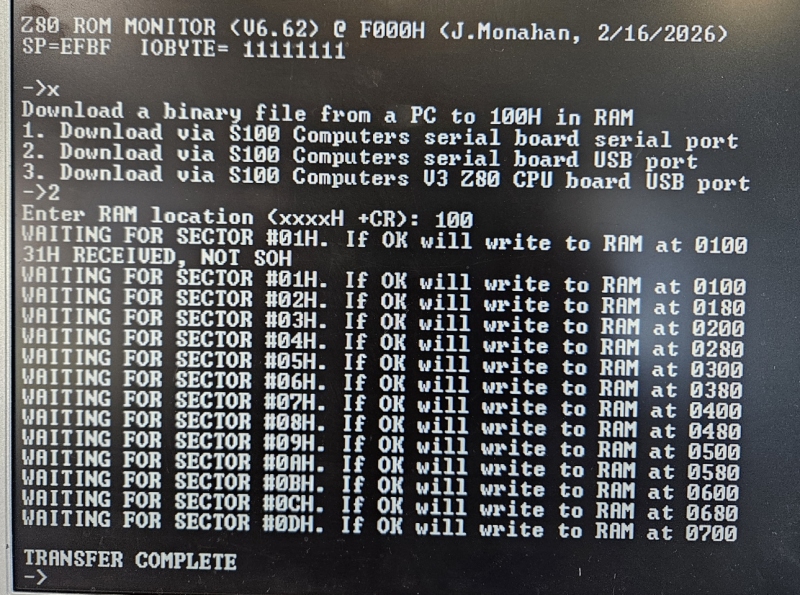
There are two common situatuations. In one case one simply needs to move a program developed on a PC to the S-100 bus system RAM (typically 100H) for hardware testing of S-100 boards etc. The above Z80 master monitor "X" command does this easily. The port on the S-100 system can be the RS232 serial port on the S100Computers Serial IO Board, the USB port on the same board, or the USB port on the V3 Z80 CPU board. Here is an example:-
A second approach is to upload or download a program running under CPM on your S-100 system to a PC. I modified one of the many versions of Ward Christenson's CP/M's "Modem Program" to simply pass files back and forth over a serial link. You can use a USB->Serial connector on the PC and the S100Computers Serial-IO Board RS232 Serial port or its USB port. The original program is stripped down of Ward's to simply accept (or send) a file named in the CP/M command line. The program to upload a CP/M file to a PC is PCPUT.COM. The source can be seen here. The programs to download from a PC a file to a CP/M system are PCGET.COM USBGET.COM. The source can be seen here. Both of these programs should be assembled with Digital Research's MAC assembler. That program can be obtained here also see here for alternatives..
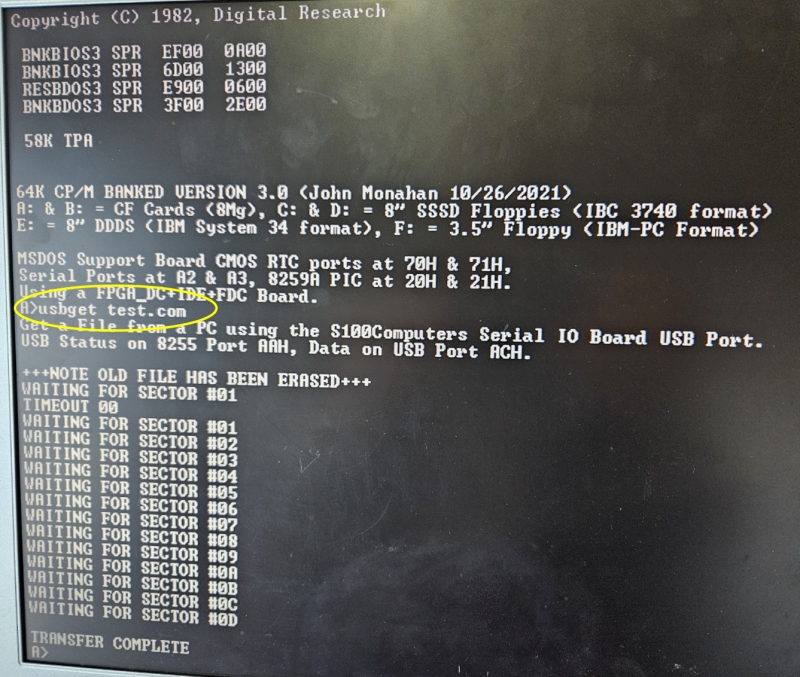
The Zip file for all three programs can be obtained here. If you are up to it, you can use the CP/M program "LU" to compress many CP/M files into one large file, upload that "library" file and extract files out on the PC side (using a CP/M simulator). LU.COM can be obtained here. On the PC end one can use any number of PC based serial port Modem programs. They should be capable of utilizing the original "XModem" protocol, not the newer "XModem (crc)" or "XModem (1K)" protocols. I particularly like Celestial Software's Absolute Telnet program. They have a free "light version" and a "Professional version" for $50. The latter is well worth it as it has many other additional useful features. The public domain Tera Term program is also excellent.
I have constructed a number of S-100 boards that allows one to interface an IDE hard drive (or memory board) to the S-100 bus. Relative to the old ST-506 Winchester drives, IDE drives are simple to interface, quiet, and inexpensive. All the software for that board can be found here.
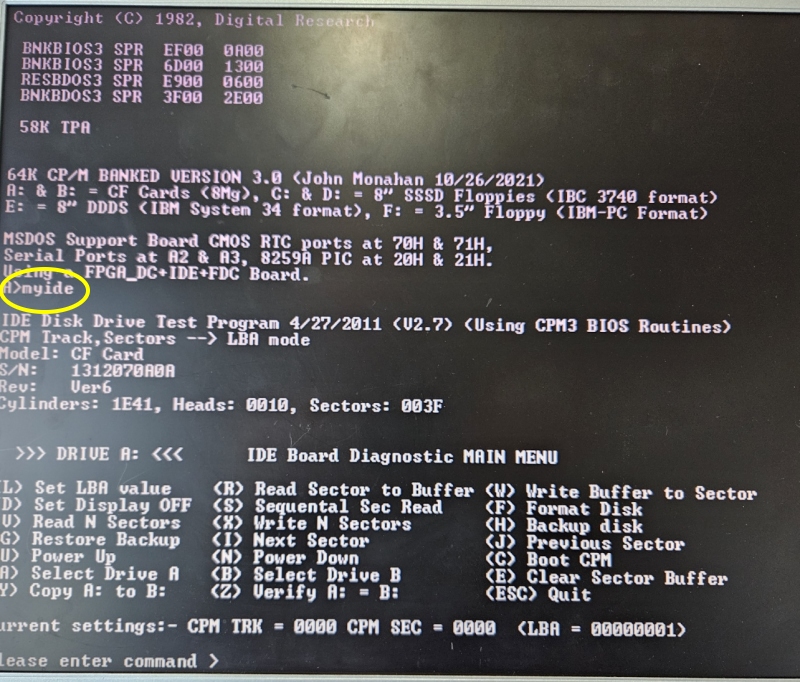
Please click An S-100 IDE Hard Disk Controller Board for more information.
The PIC and RTC S-100 Board I have constructed with its Priority Interrupt and Real Time Clock S-100 board that allows one to utilize the interrupt structure of the S-100 bus with both 8 and 16 bit CPU's. The board also contains a National Semiconductor MM58167 Clock/Calendar chip. This is really two S-100 boards in one. Example software for interrupt testing can be seen here, and downloaded here. Software for the RTC chip and checking its functionality worth CPM3's date and time stamping capability can be downloaded here.

In developing software for 8088, 8086, 80286 and 80386 S-100 systems it is often necessary to load software above a Z80's 64K address space. For example the 8086 monitor resides at F000:8000H. This is particularly handy when you are first developing hardware/software. (BTW, the most recent versions of these '86 monitors have an internal command, ("W"), to do what we have below for you). Such a file transfer process allows you to utilize programs like Visual Studio and NASM to write your programs on the PC and quickly test the results in your S-100 system. I have written a short simple version of the above PCGET to directly load the code (.bin, .com etc.) from a PC directly into the S-100 memory space. It is a small CPM based program called PCLOAD.COM. The program asks for a Load address. This can be any 1K boundary from 1K-64K. If however you have our S100Computers Z80 CPU board, it utilizes the "Memory Window" on that board and can load the code anywhere from 1K up to 1M.
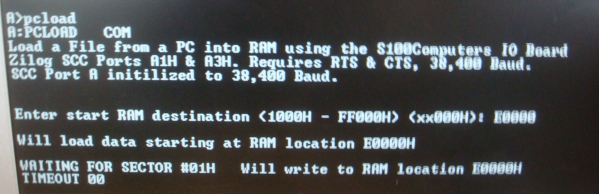
The program to download from a PC a file to a CP/M system is PCLOAD.COM. The source can be seen here. The programs can be assembled with Digital Research's MAC assembler. This program can be obtained here.
The CPM program "XModem" is a well known program used to conveniently move CPM files from one computer to another over a serial (or modem) link. Many versions of this program can be found on the web. Unfortunately some have bugs that appear when large programs are transferred. The version here has been cleaned up by Bob Bell and can now also be downloaded from this site. XModem.zip
Over the years I utilized a number of assemblers and linkers. Each had its own advantage and quirks. I have put together a collection of some of the better ones in one spot for easy downloads. They include the following (in no particular order) .... TDL's Z80 Macro Assembler. Cromemco's Z80 Assembler. Digital Research's MAC and RMAC SLR's ZASM Digital Research's ASM86 Microsoft's M80 and L80 SD Systems ZASM 8086 Assemblers 68K Assembler 6502 Assembler Z80 T0 8080 Translator Others. They are all briefly discussed and can be downloaded here.
A Collection of Useful Assembly Language RoutinesCheck here for a collection of small but useful Z80, 8080 and 8086 Assembly Language routines I use time and time again in programs.
Most early S-100 Computer systems used CPM2.2 (or earlier) as the basic computer disk operating system. The system was fairly simple to implement and was the germination base for much of the microcomputer worlds software. The system however had many limitations in particular it was designed for a standard 8" IBM single density single sided floppy disk with 128 byte sectors. As newer disk sizes and formats started to appear -- particularly hard disks, the system started to show its limitations. Digital Research's answer was CPM3. This version of CPM allowed essentially any sector size and disk format to be used easily and efficiently. What CPM3 did was hide within the operation system itself the 128 byte sector size requirement and allow the BIOS to work easily with any sector size "transparently". The system had an elaborate disk hashing/data buffering system as well. Of particular usefulness was the fact that it existed in two forms. A "standard" NON BANKED version that operated like CPM2.2 in a Z80 system with 64K (or less) of RAM. However there was a much more efficient "BANKED" version of CPM3 which by using onboard 'bank switching" hardware, could utilize up to (in theory) many megabytes of RAM. Typically 128K or 256K RAM systems were used. This allowed for a very fast and sophisticated system with for example things like file time and date stamping. It should be noted that this BANKED system absolutely requires that the Z80 can switch in and out a portion of its 64K adders space with other RAM boards. There were a number of ways this was done in hardware. The Cromemco and Godbout systems utilized an IO port to switch RAM boards. Intersystem's and our own S100Computes Z80 board, use on-board Z80 CPU board hardware to extend the addressing range of the Z80. We will discuss this later. For now lets start with a very simple CPM3 BIOS. We will step by step build the system up to a much more complex setup. Eventually arriving at a BANKED system with multiple floppy, hard and memory disk connections. Please click here to read about this process.
This section is an extension of the above CPM3 for a floppy disk except that now we will boot CPM3 up from a Hard Disk. Please click here to read about this process.
This section is devoted to beginners trying to implement CPM86+ in their S-100 system. Obviously the system must have an 8686 (or above) CPU board. The details and examples given are quite general and can be applied to any capable S-100 system. However all the examples are centered around our Dual IDE and ZFDC disk controllers. Please click here to read about this process.
Bringing Up CPM68K for the First Time Writing a CPM68K BIOS for the Dual S-100 IDE
Bringing up CPM68K (using a 68000,
68010 or 68030 S-100 Board) can be a somewhat daunting task
for beginners. Not only is the hardware different and you
have to worry about its (often untested) functionality, but
the software is an order of magnitude more complex.
Way back in the early 1980's Digital Research put out its
CPM68K (V1.0) operating system to run on
such 68K systems. It was essentially a conversion of its
CPM3 operating system. Most of the commands and functions
were the same as that used for CPM3. The
concept of User Groups and a CPM.SYS file on the
disk was carried over from CPM3. Please click
here to read about the process.
Bringing Up MSDOS for the First Time
This section is devoted to beginners who want to implement MSDOS in their S-100 system. Obviously the system must have an 8686 (or above) CPU board. The details and examples given are quite general and can be applied to any capable S-100 system. However all the examples are centered around our Dual IDE and ZFDC disk controllers. Please click here to read about this process.
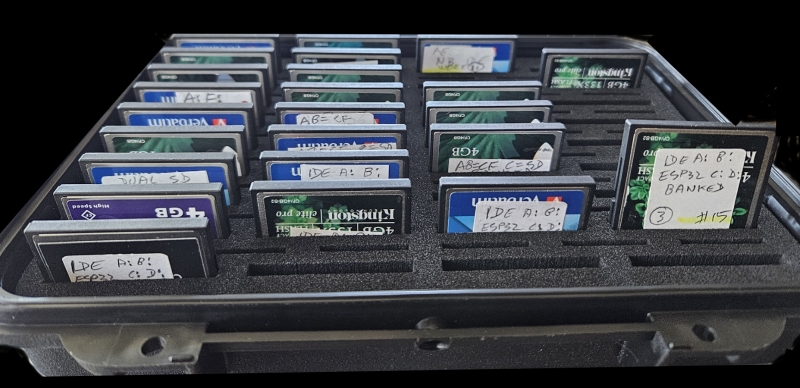
Please click here to go to the page to copy various CPM3 and MSDOS CF card images to CF cards.
This is a ROM based Zapple like monitor program for an 8086 based system. It is a menu driven program to allow you to bring up a basic functional system. It is toughly documented to allow its adaption to most hardware configurations. The monitor contains three separate sections:- 1. A basic monitor like the MASTER.Z80 one described above. 2. A diagnostic section to run the IDE board with an 8086 3. A modified version of the IBM-PC/AT BIOS that allows you to run MSDOS (V4.01) unaltered.

Please click 8086 Monitor for more information.
This is a simple ROM based Zapple like monitor program for a Motorola 68000 based system. It is a menu driven ROM based program to allow you to bring up a basic functional system. It is documented to allow its adaption to most hardware configurations.
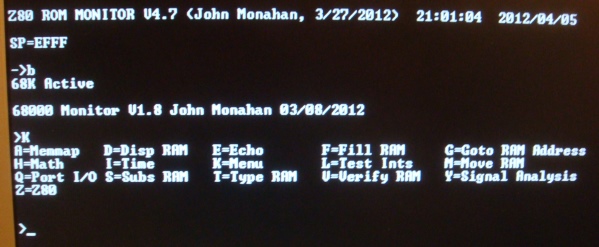
Please click 68000 Monitor for more information.
This is a simple ROM based Zapple like monitor program for a simple 6502 based system. It is a menu driven ROM based program to allow you to bring up a basic functional monitor on the S-100 bus. It is documented to allow its adaption to most hardware configurations.
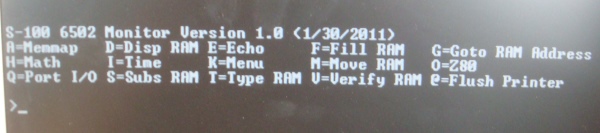
Please click 6502 Monitor for more information.
This is a ROM based 80386 monitor evolving from the above 8086 based monitor. It is a menu driven based program to allow you to bring up a basic 80386 functional system. It is thoroughly documented to allow its adaption to most hardware configurations. The monitor also allows one to exercise the complex "Protect Mode" 32 bit features of the 80386 with its sophisticated memory management and interrupt features. The monitor contains four separate sections:
- A basic Real Mode monitor like the 8086 one described above.
- A diagnostic section to run the IDE board with an 80386 (Real Mode).
- A modified version of the IBM-PC/AT BIOS that allows you to run MSDOS (V5.01) unaltered (Real Mode).
- Protect Mode/32 bit mode with basic monitor commands, interrupts debugging/single stepping etc.
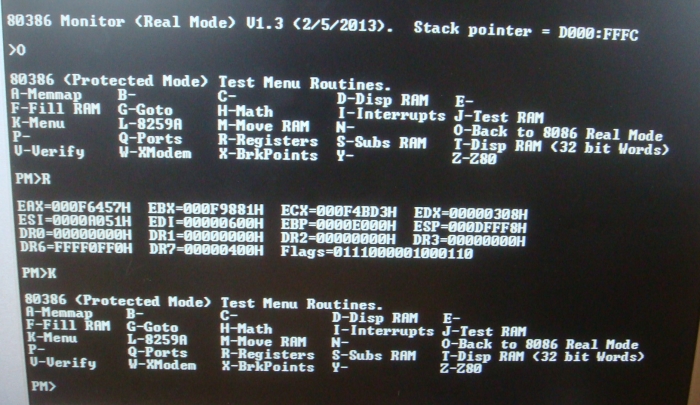
Please click 80386 Monitor for more information.
This is a ROM based Zapple like monitor program for the 8080 CPU board. It is a menu driven ROM based program to allow you to bring up a basic functional system. It is documented to allow its adaption to most hardware configurations.
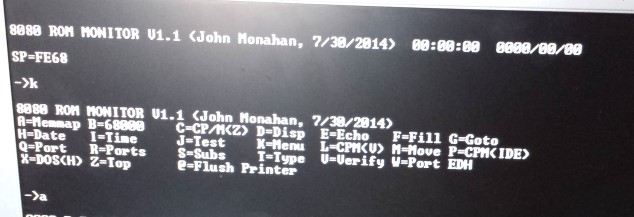
Please click 8080 Monitor Program for more information.
This is a ROM based Zapple like monitor program for the PDP-11 CPU board. It is a menu driven ROM based program to allow you to bring up a basic functional system. It is documented to allow its adaption to most hardware configurations.
.jpg)
Please click PDP-11 CPU Monitor for more information.
This page contains programs related to the three FPGA_DC Disk Controller Boards. To make any sense you must be familiar with that series of boards before going further. Please click here.